Phoenix Dashboard Overview
The Phoenix Dashboard is your central workspace for managing payments, subscriptions, customers, stores, and analytics. You use it to track performance, solve customer issues, and take action quickly across your commerce environment.
This guide shows you where to find each major feature and how to use it effectively.
Dashboard (Home)
Use the Dashboard to monitor real-time performance across your stores. It acts as your daily overview for billing, sales, and customer activity.

From here, you can:
-
Review real-time KPIs
-
Monitor subscription and sales performance
-
Track recent transactions
-
View alerts and service notifications
Use this page to spot trends and quickly jump into areas that require action.
Transactions
The Transactions section shows every payment attempt across your stores. Use it to audit payments, confirm results, and troubleshoot declines.
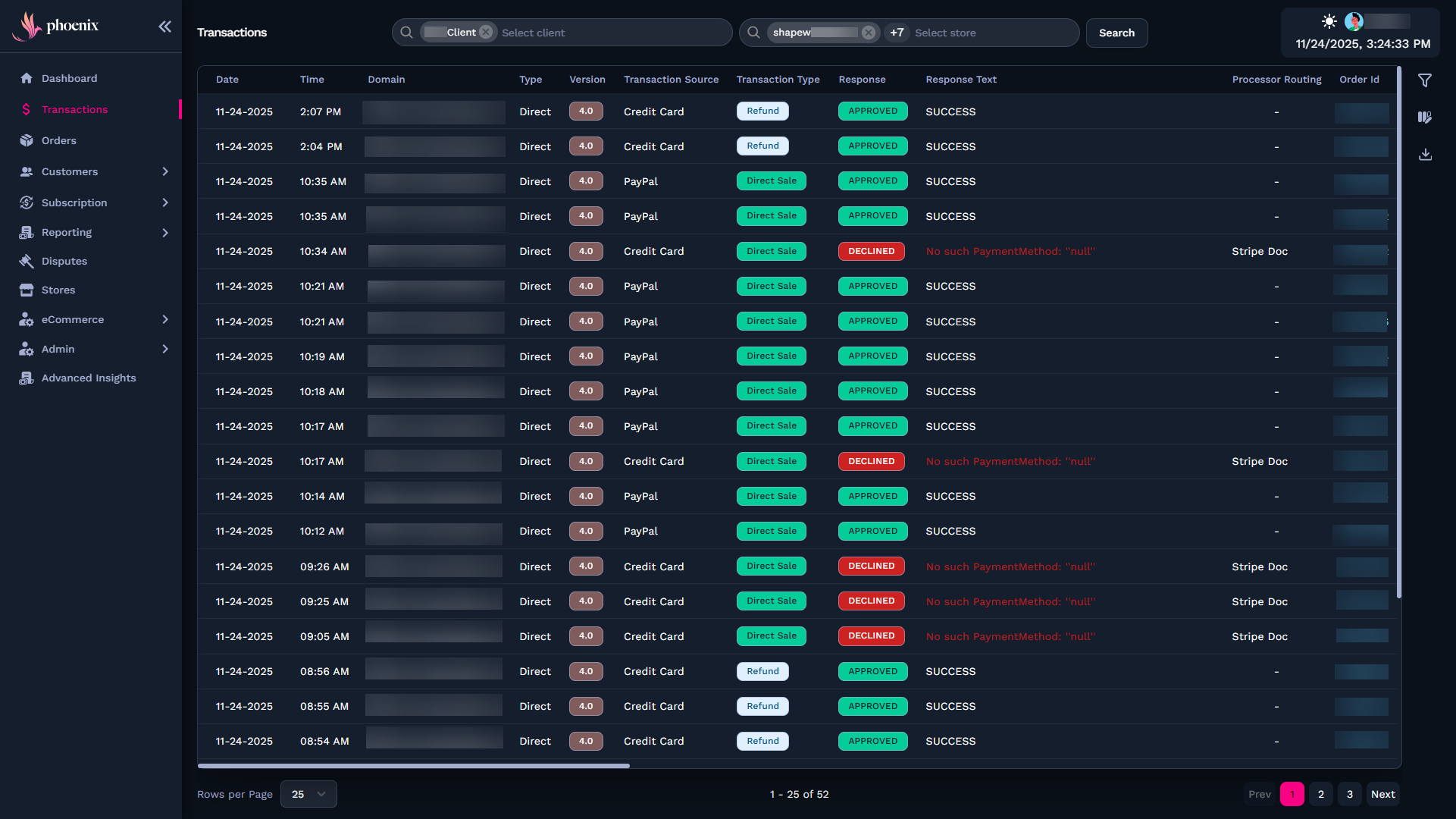
Here, you can:
-
Filter and search transactions
-
View gateway and processor response codes
-
Review retries, routing, and technical outcomes
-
Drill into detailed logs for support workflows
Use this page to troubleshoot failed charges and confirm payment behavior.
Orders
Orders represent successful charges that generated a purchase. Use this page to validate billing and confirm what the customer received.

From here, you can:
-
View order history and purchase details
-
Confirm related transactions
-
Troubleshoot fulfillment issues
If a payment succeeds, you’ll find its order here.
Customers
The Customers module groups all customer-related data. When you open it, you can choose between different views, such as Abandoned Carts or Customer Details for a specific user.
Abandoned Carts
Inside the Customers module, Abandoned Carts shows carts that were never completed.
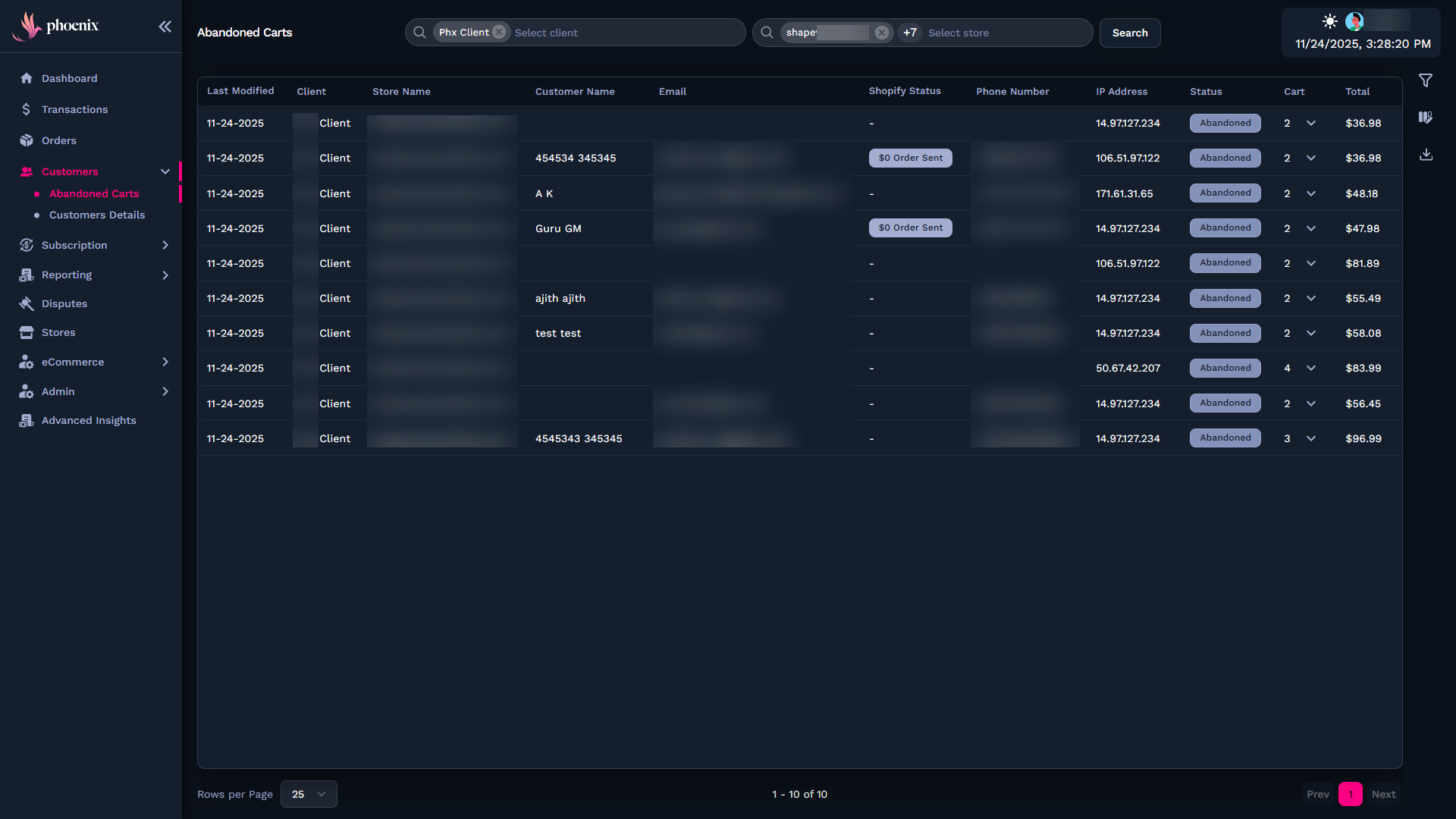
You use it to:
-
Analyze checkout drop-offs
-
Understand why purchases weren’t completed
-
Improve recovery and re-engagement strategies
Use these insights to reduce abandonment and increase conversions.
Customer Details
When you select a customer, you access:
-
Personal information
-
Stored payment methods
-
Subscription history and lifecycle events
-
Orders and invoices
-
Tokens and activity logs

Use these details to validate billing issues and support individual accounts.
Subscriptions
Use this section to work with recurring customer plans across your stores.From here, you access subscription records and manage how renewals behave.
Subscription Management
This page displays every active, paused, delinquent, or canceled subscription. You can:
-
Search and filter subscriptions by status, store, or customer
-
Review lifecycle events, including renewals, approvals, and pauses
-
Investigate failed charges or interruptions in the subscription flow
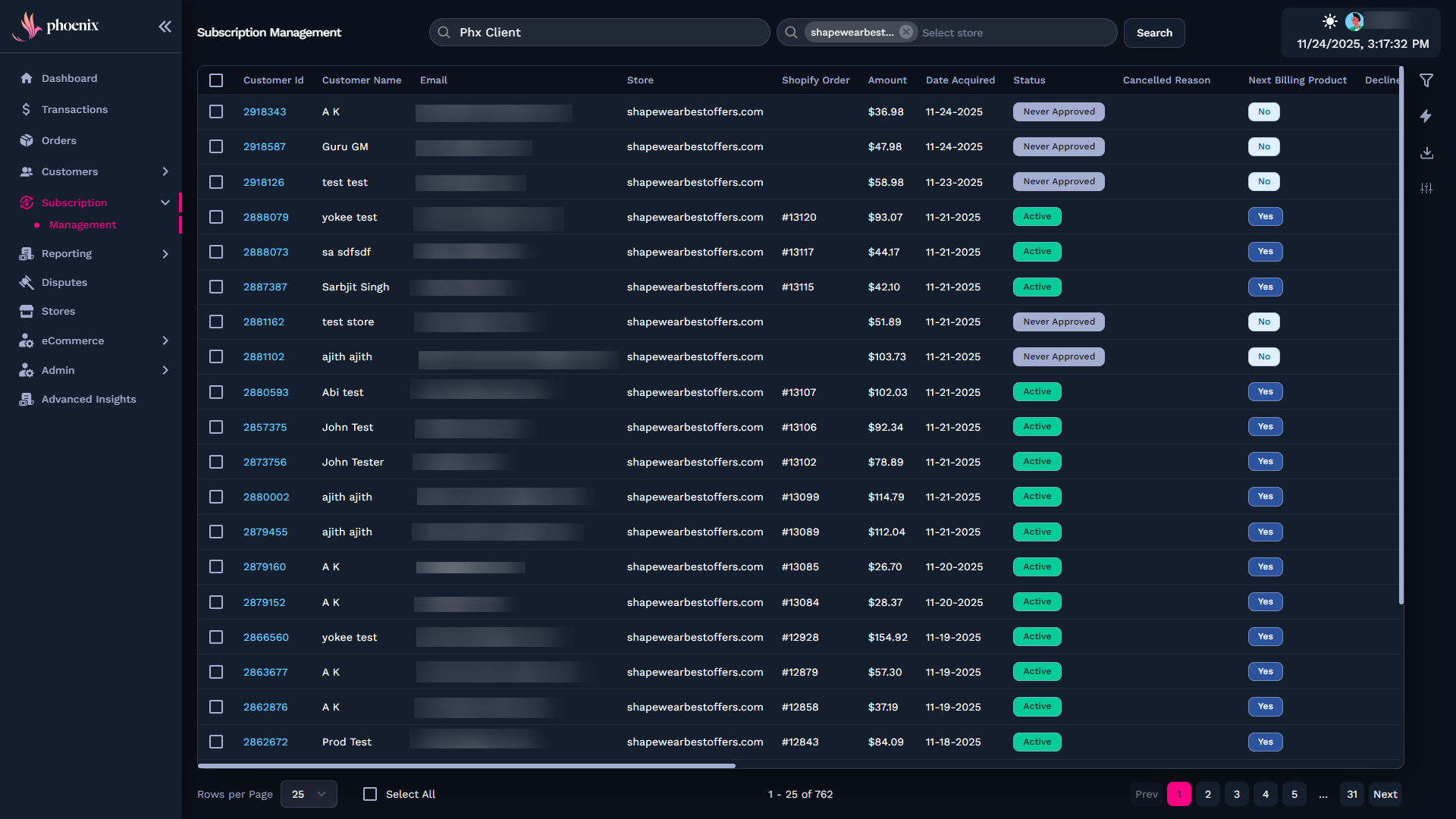
This page also lets you configure global subscription rules, such as:
-
Trials and renewal behavior
-
Salvage attempts and retry logic
-
Grace periods before cancellation
-
Pause and reactivation flows
-
Billing date adjustments
These settings control how subscriptions are handled across all connected stores.
Reporting
The Reporting module contains multiple analytical views. When you open it, you choose the specific report you need.
Subscription Billing Report
Shows renewal performance, salvage actions, recovery rates, and revenue results.

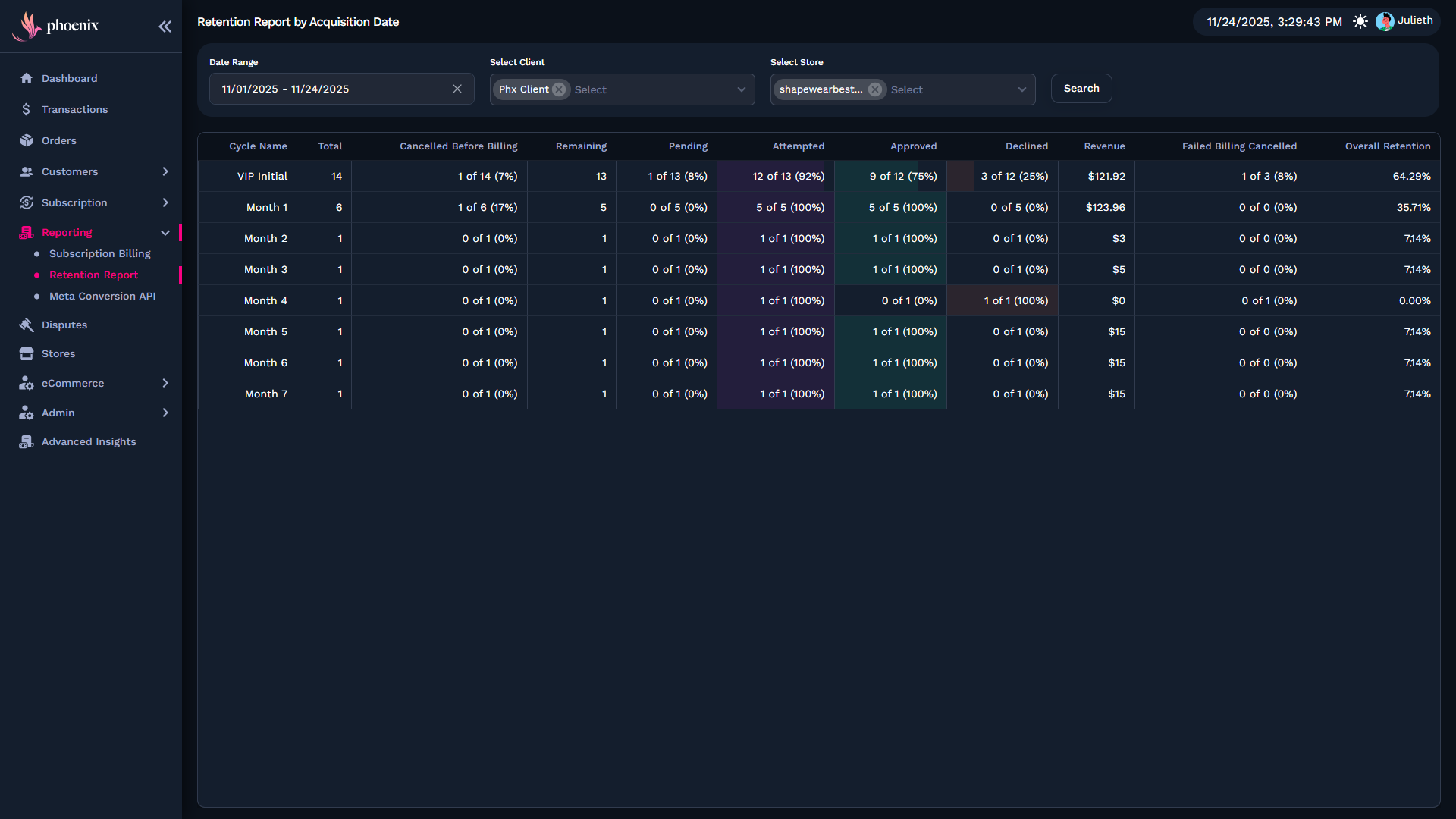
Retention Report
Displays churn, cohorts, reactivation trends, and subscription lifetime behaviors.
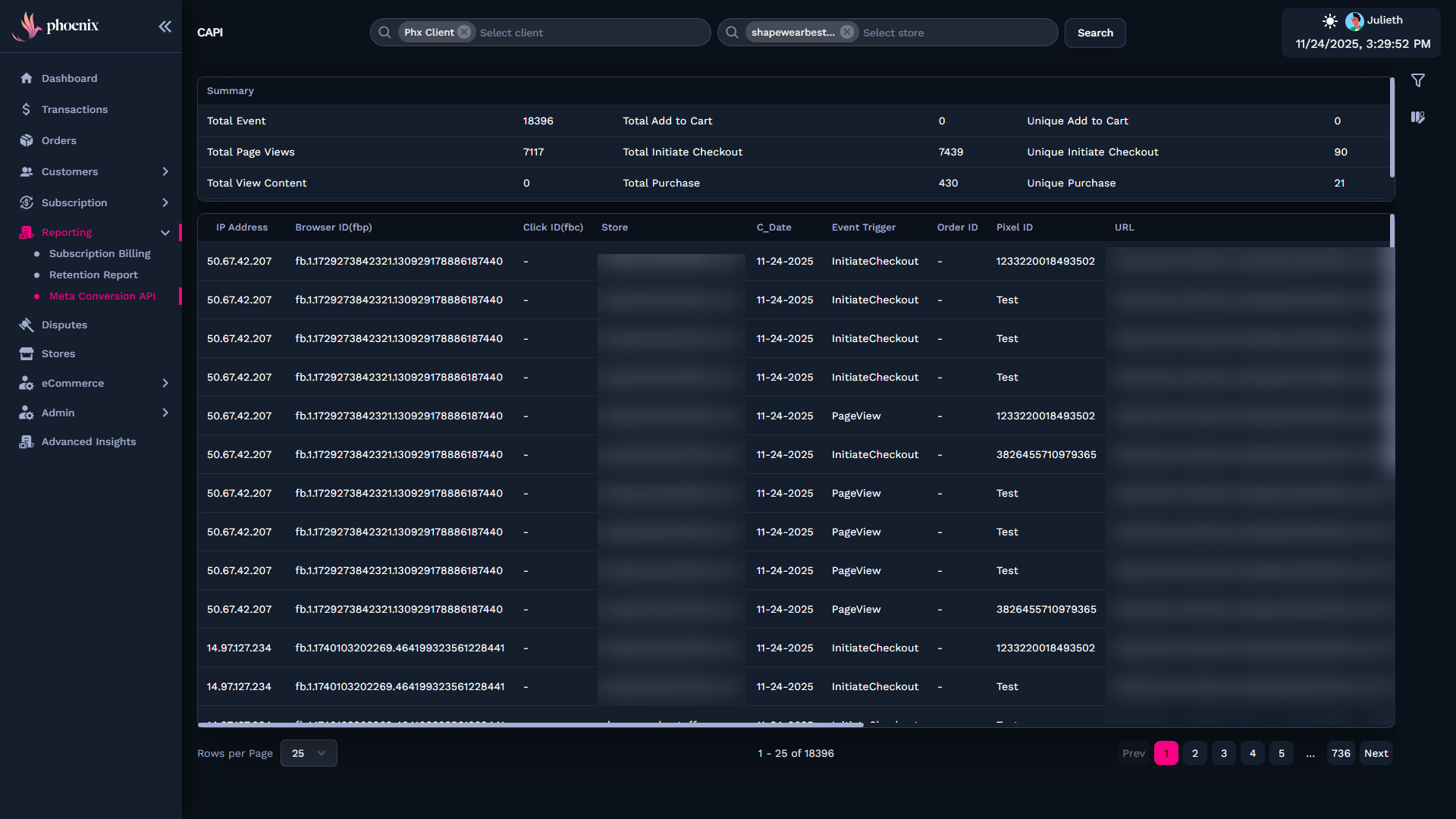
Meta Conversion API
Shows events sent to Meta for tracking. You use it to validate purchase signals and acquisition tracking.
Disputes
Use the Disputes page to review chargebacks sent by processors such as Ethoca. This view groups every active dispute across your stores and shows the data needed to evaluate and respond to each case.
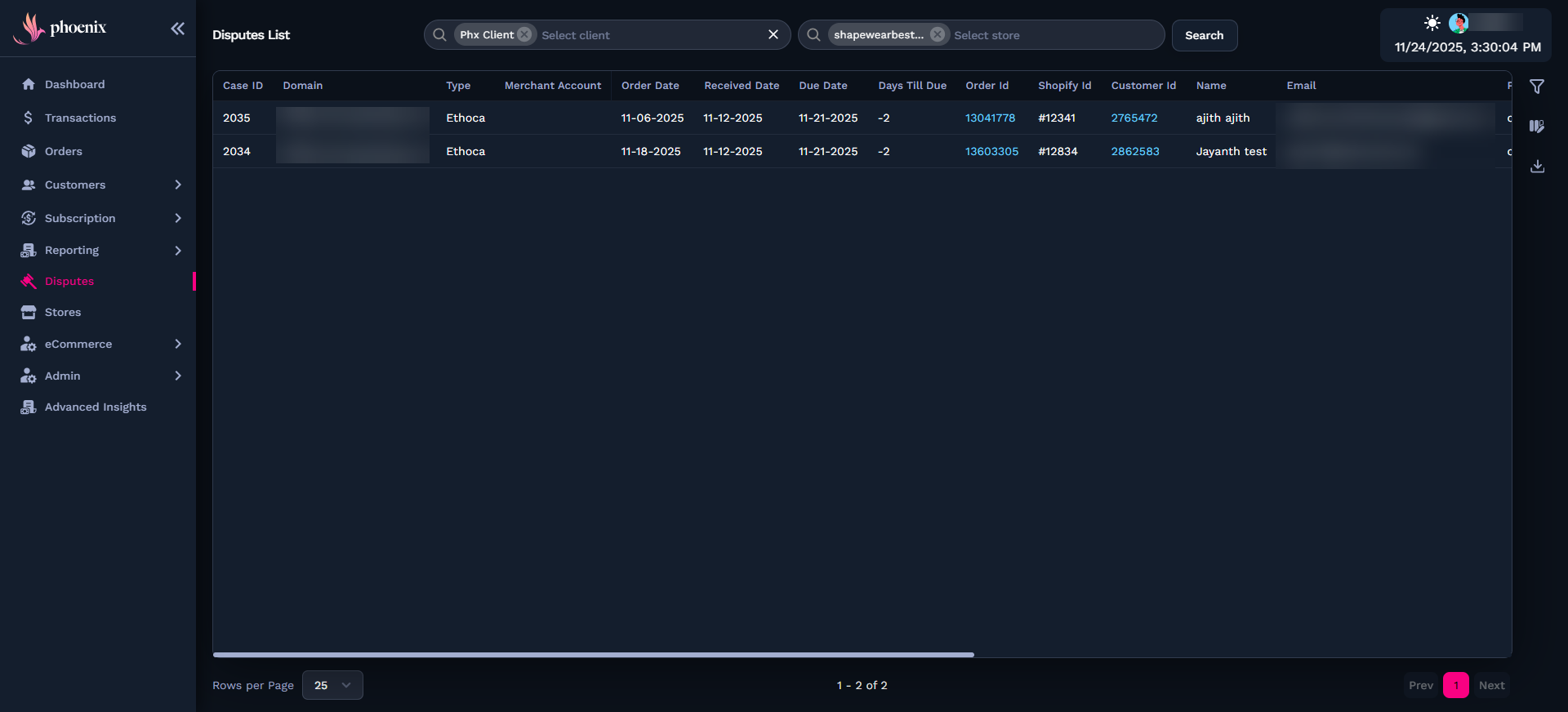
From here, you can:
-
See the chargeback type and processor source
-
Review order and received dates
-
Track due dates and remaining response time
-
Identify the customer tied to the case
-
Open references such as Order ID, Shopify ID, or Customer ID
You use this page to monitor deadlines, check order details, and prepare a response based on the processor requirements.
Stores
Stores represent independent commerce environments. Use them to configure billing rules, processors, and localization.
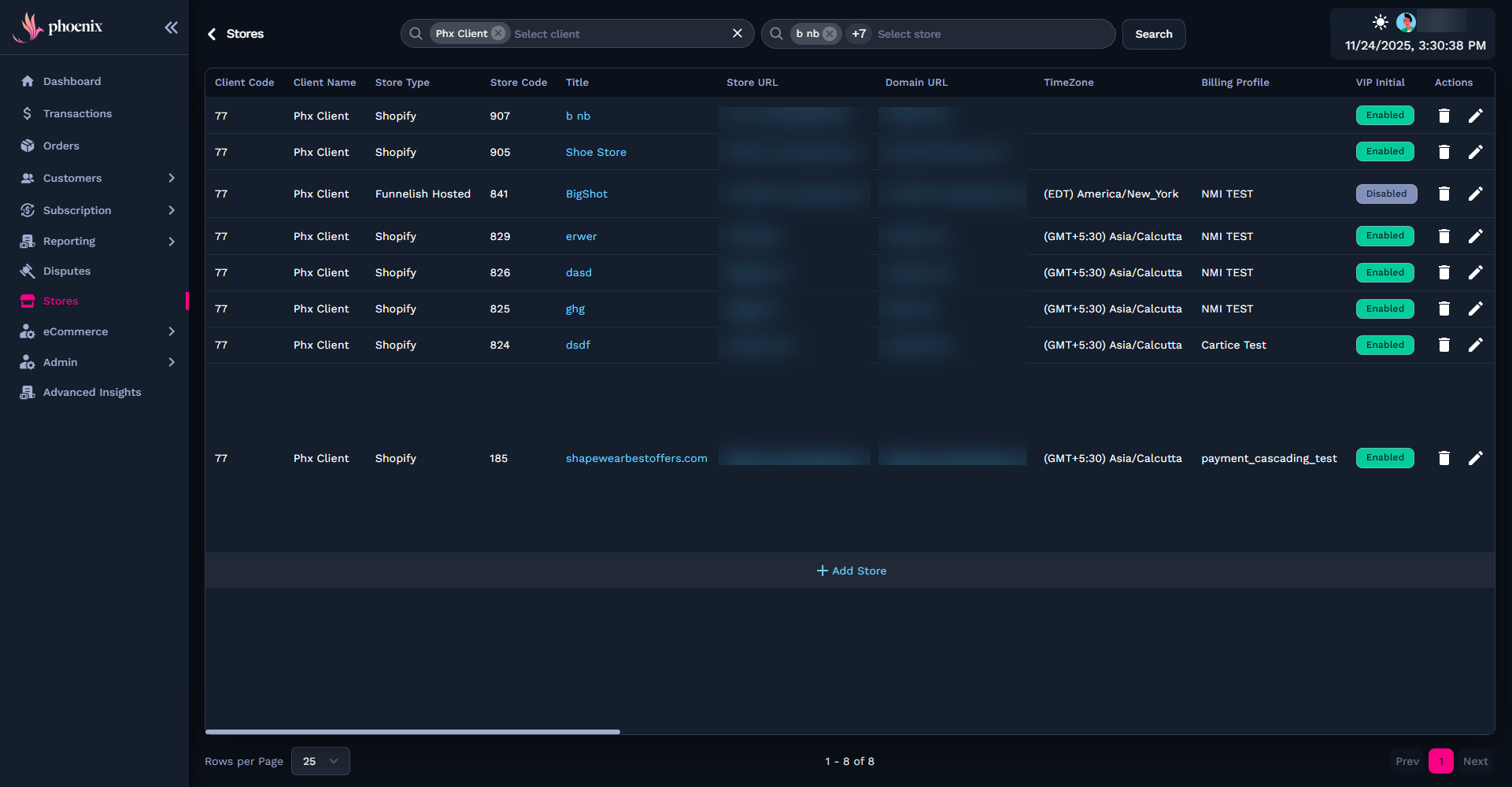
From here, you can manage:
-
Gateways and processor connections
-
Salvage and retry settings
-
Locale and currency
-
Subscription defaults
-
Store metadata
Every transaction and subscription belongs to a store.
eCommerce
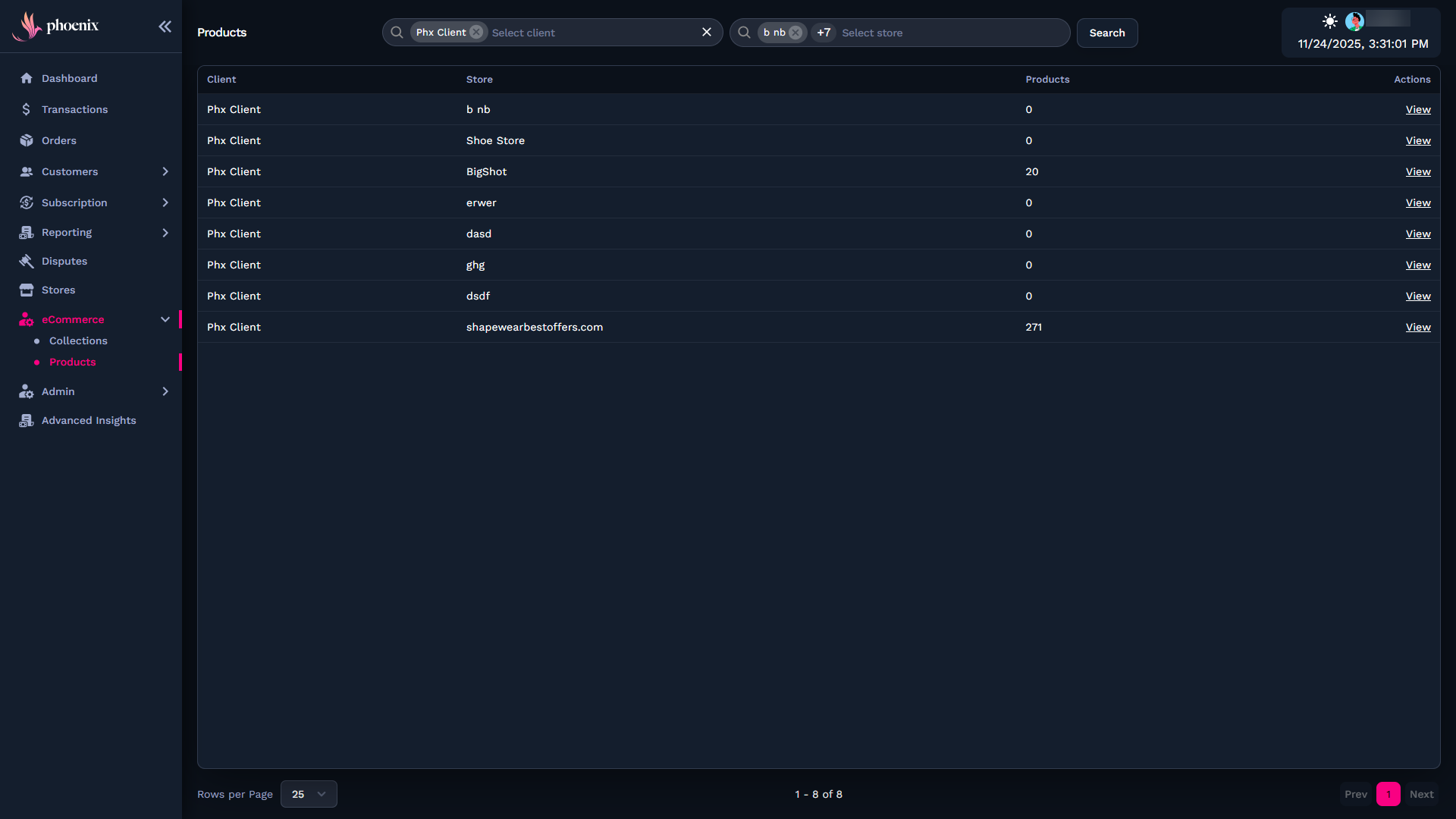
The eCommerce section defines the products and collections used in your storefront or checkout flows.
Collections
Organize products into groups or categories used in checkout.

Products
Set pricing, billing intervals, metadata, and visibility options. These settings define what customers can buy and how billing occurs.
Admin
The Admin module manages your Phoenix organization and access controls.
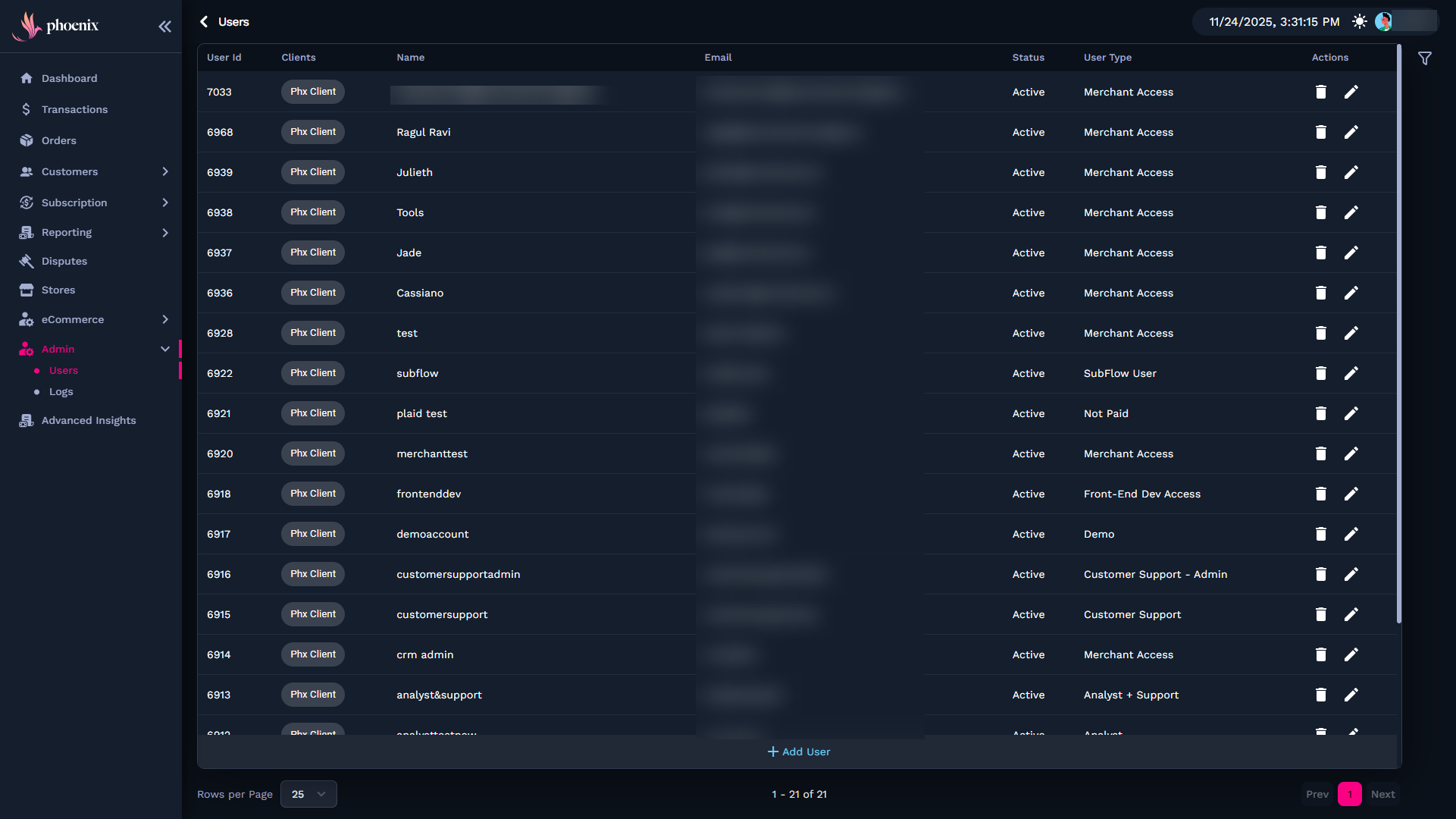
Users
Create, edit, disable, or control account permissions. Includes:
-
Roles
-
Store-level access
-
Status and security options
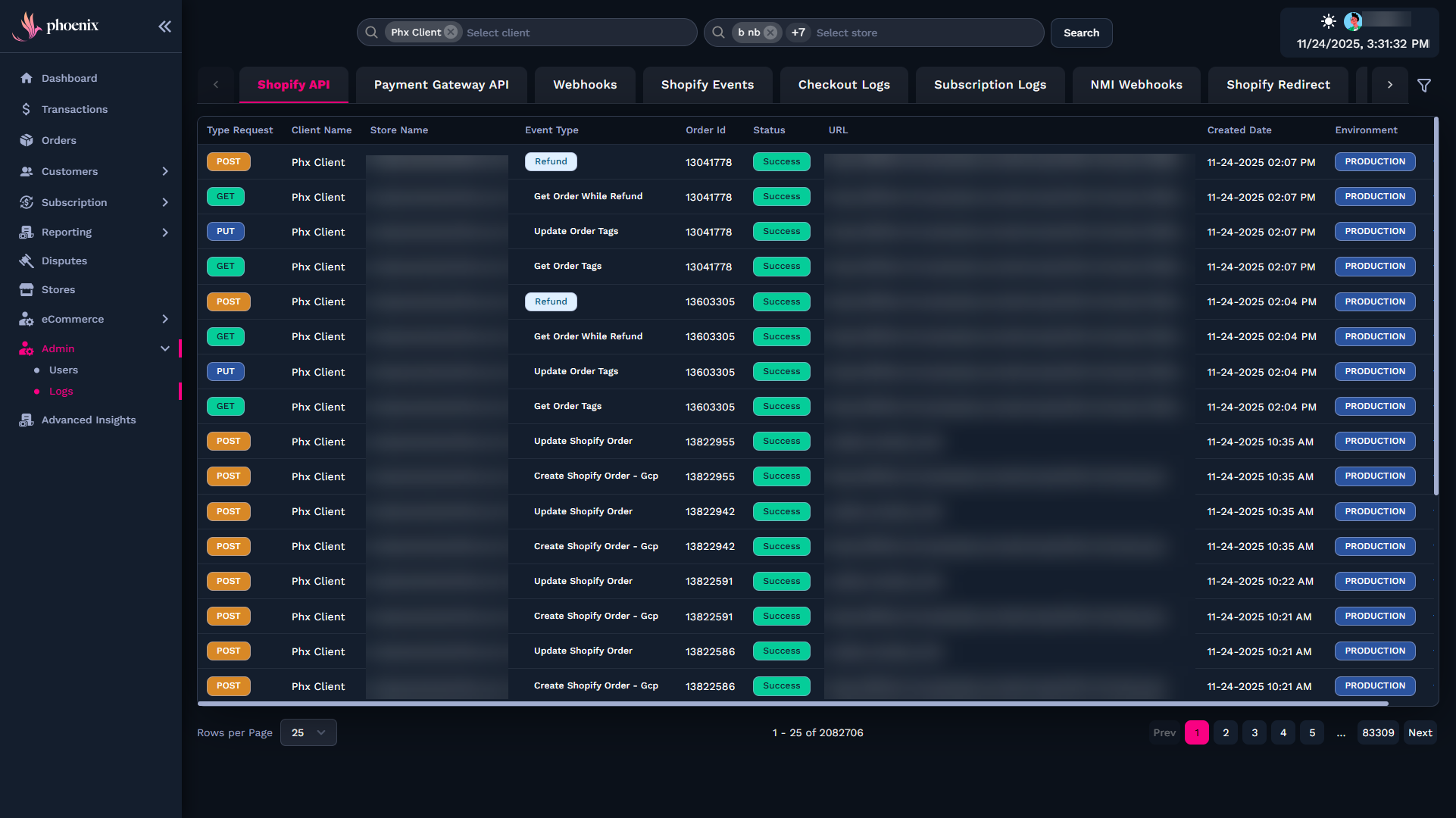
Logs
Shows traceable actions taken across the Dashboard for auditing.
Advanced Insights
Use Advanced Insights to access deeper data for forecasting, optimization, and financial analysis.
You’ll find advanced metrics for:
-
Revenue performance
-
Subscription and lifecycle trends
-
Churn and recovery
-
Payment behavior and decline analysis
This area is ideal for growth, strategy, and finance teams.
Related Guides
Refer to these related guides for more details on configuration, workflows, and key platform components.